Indian Vehicles Simulator 3D Black Screen & Crash Fix
Time Required: 5 to 10 Minutes | Platform: Android | Last Verified: August 2026
Written by David Kalin, Gaming & SEO Expert with 5+ years covering mobile games. This is an independent fan resource and is not affiliated with, endorsed by, or operated by AN Gaming Studio.
The screen goes black mid-drive, or the game closes itself without warning. Both are frustrating in different ways, a crash at least tells you something went wrong, a black screen leaves you staring at nothing wondering if the game is still running underneath.
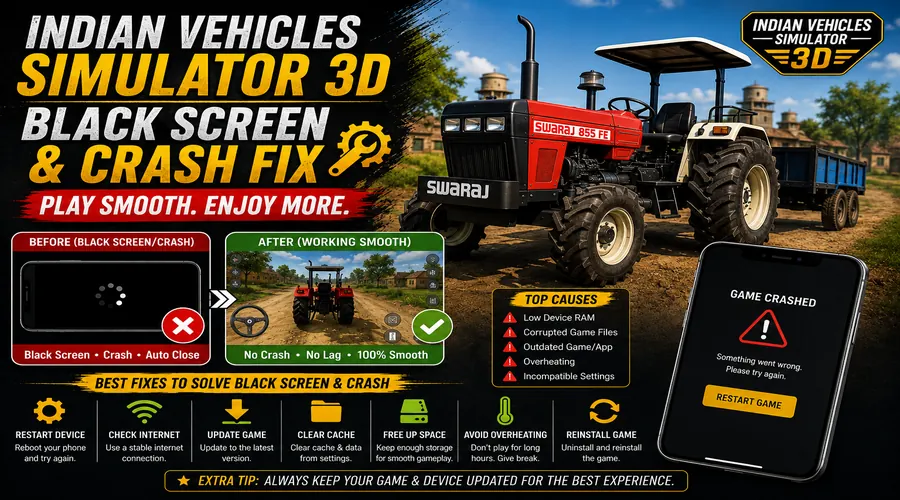
Indian Vehicles Simulator 3D crashing or showing a black screen is most often caused by memory pressure during graphically heavy moments, a graphics driver or rendering issue, or a bug tied to a specific vehicle or area, and the fix depends on which of these you’re actually dealing with.
Why the Black Screen Happens
Crashes on mobile games like this one most commonly happen when your device runs out of available memory mid-session, particularly during graphically demanding moments, busy traffic, active weather, or a crowded map area. Rather than slow down gracefully, the app gets forced to close by the operating system when it asks for more memory than is available. A black screen is a related but distinct symptom, it often points to a rendering or graphics driver issue rather than an outright memory crash, the game process may still be running while the screen itself fails to draw properly.
It’s also worth knowing that not every visual glitch is a crash. A real, dated Play Store review for this exact game reported that the handlebars don’t render on the Bullet bike specifically, a vehicle-specific visual bug rather than a full crash or black screen. That’s useful context: some “something’s broken” reports are actually narrow rendering glitches tied to one vehicle, not a sign your whole setup is failing.
How to Fix the Black Screen Issue
Fix 1: Restart the App and Your Device
Force-close the game completely rather than just backgrounding it, then restart your device before relaunching. This clears out memory that may be fragmented or held by background processes, and resolves a large share of both black-screen and crash reports on its own, particularly if this is the first time it’s happened in a while.
Fix 2: Update Your Graphics Drivers and OS
Check for a pending Android system update under Settings, since graphics driver improvements often ship as part of OS updates rather than as something you update separately on most Android devices. If your device manufacturer provides a separate GPU driver update, apply that too. Black screens specifically are more often tied to outdated graphics handling than crashes are, so this fix matters more for that symptom.
Fix 3: Avoid the Specific Trigger If You Can Identify One
If the crash or black screen happens consistently in one area, with one specific vehicle, or during one specific weather condition, that’s a real clue, not a coincidence. The Bullet bike rendering issue mentioned above is a good example, a narrow, vehicle-specific bug rather than something a general fix resolves. If you can isolate a consistent trigger, avoiding it while the developer addresses it in a future update is a reasonable short-term workaround.
If crashes happen broadly across different areas and vehicles rather than one specific trigger, that points back toward a memory or device-level cause rather than a game bug, and Fixes 1 and 2 above are the more relevant ones to focus on.
How to Prevent Black Screens Going Forward
Keep background apps closed before playing, the same RAM pressure that causes lag can escalate into a full crash during a graphically demanding moment if left unaddressed. Keep your device’s Android version and graphics drivers reasonably current, since this specifically helps with black-screen-type rendering issues. If you’ve identified a specific vehicle or area that consistently causes problems, treat that as a known issue to work around rather than something to keep testing repeatedly.
Black Screen Fix: Frequently Asked Questions
Q: Why does Indian Vehicles Simulator 3D keep crashing?
Most crashes trace back to memory pressure during graphically demanding moments, like busy traffic or active weather, forcing the operating system to close the app.
Q: What causes the black screen specifically?
Black screens are more often tied to a graphics rendering or driver issue than a memory crash, keeping your Android version and graphics drivers current is the most relevant fix for this specific symptom.
Q: Is the game buggy in general, or are these isolated issues?
Reports we’ve found point to specific, narrow issues, like a rendering bug affecting one vehicle’s handlebars, rather than the entire game being broadly unstable, isolating your specific trigger matters more than assuming the whole game is unreliable.
Q: Does restarting my phone actually help?
Yes, restarting clears fragmented memory and stuck background processes that a simple app restart alone doesn’t fully resolve, it’s worth doing before more involved troubleshooting.
Q: Should I report a crash or black screen to the developer?
If you can identify a specific, repeatable trigger, a specific vehicle, map area, or action that causes it every time, that’s genuinely useful information worth reporting through the app’s own review or feedback channel.
Q: Will an older version of the game crash less?
Possibly, older versions are smaller and less graphically demanding, which reduces memory pressure, though we can’t guarantee it resolves every specific bug, our Old Version download page has the full archive if you want to try one.
Final Tips to Avoid Black Screen Crashes
Start with a full device restart, not just closing and reopening the app, since that resolves the largest share of both symptoms on its own. From there, check for pending Android and driver updates, particularly if black screens are your specific issue. If you can pin down a consistent trigger, whether that’s a vehicle, a map area, or a weather condition, treat it as a known workaround rather than a mystery to keep chasing. For general performance issues short of a full crash, our Lag Fix guide covers that separately. If a crash cost you progress, our Save Data Backup guide covers protecting your save going forward, and if the game won’t open at all rather than crashing mid-session, see our Not Working guide.