Indian Vehicles Simulator 3D – Latest Version, Download & Features
Free open-world driving simulator by AN Gaming Studio. Real screenshots, verified version data, and honest answers on MOD APK safety, not recycled app-store copy.
✅ Version, size, and pricing on this page were last verified September 13, 2026. We recheck this page whenever AN Gaming Studio ships a new update.


Version | Size | Platform | Updated |
0.54 | 223 MB | Android 5.1+ | ✅ Aug 2026 |
This is an independent fan resource and is not affiliated with, endorsed by, or operated by AN Gaming Studio.
If you have been searching for Indian Vehicles Simulator 3D and keep landing on pages showing an old version number or a download link that no longer works, you are not the only one. A lot of the sites ranking for this game right now are copying the same recycled description from three updates ago, and some are still pointing you at builds that stopped being current months back.
Here is the short version. Indian Vehicles Simulator 3D is a free open-world driving simulator developed by AN Gaming Studio. The current release is version 0.54, and it runs on Android 5.1 and up. If you have also seen the term MOD APK floating around, that refers to unofficial, modified copies of the game file that promise unlocked vehicles or unlimited resources, and we will walk through exactly what that means and why the official version below is the safer route. Grab it directly from the Play Store using the button underneath this section.
Indian Vehicles Simulator 3D is a free open-world driving simulator by AN Gaming Studio for Android and iOS, letting you drive cars, bikes, tractors, trucks, trains, and even planes across two selectable maps built around authentic Indian roads, vehicles, and weather.
Quick Download Info
| Version | 0.54 |
| Developer | AN Gaming Studio |
| Android requirement | Android 5.1 and up |
| File format | APK and XAPK |
| File size | approximately 223 MB |
| Last update | August 17, 2026 |
| Category | Simulation |
Treat these figures as a live reference rather than a permanent fact. The developer updates the game regularly, so always confirm the version number on the store listing itself before you download.
What Is Indian Vehicles Simulator 3D?
At its core, Indian Vehicles Simulator 3D is a free-roam simulation game built around one idea. It puts you behind the wheel of the vehicles you actually see on Indian roads every day, then lets you drive them wherever you want across an open map, with no rigid mission list forcing you down one path.
The game comes from AN Gaming Studio, a developer that has built its identity almost entirely around this one title and its steady stream of updates. What separates it from a lot of the other Indian driving games crowding the Play Store is the sheer range of what you can climb into. Most competitors give you cars and maybe a bike or two. This game hands you tractors, harvesters, cranes, buses, trains, and even helicopters and planes, all inside one open world, which is exactly why players keep coming back to just wander the map rather than chase objectives.
The game is actually built around three distinct modes, selectable from the main menu: Open World, Farming Mod, and Tochan Mod. Despite the name, none of these are related to third-party MOD APK files. They are official gameplay modes the developer built directly into the game, and we cover each one in the Gameplay Features section below. For offline versus online play, the core driving and exploration gameplay works as a single-player, offline-capable experience once installed, though ads and certain online-dependent features may still require a connection depending on your specific build.
Indian Vehicles Simulator 3D MOD APK
A MOD APK is a version of the game file that someone outside AN Gaming Studio has taken, modified, and repackaged, usually to unlock every vehicle from the start, remove ads, or hand you unlimited in-game currency before you have played a single minute. The features these modified files claim to offer typically include unlocked vehicles, expanded vehicle customization options, and in some cases claims of unlimited money or a no-ads experience.
One quick disambiguation before we go further, since the game’s own menu uses the word “Mod” in a completely different sense. The Open World, Farming Mod, and Tochan Mod options you see when you launch the game are official gameplay modes, built and shipped by AN Gaming Studio itself. That is a different thing entirely from a MOD APK, which is a third-party modified install file. If you came here looking for “Tochan mod” or “farming mod,” that is already built into the official game, and you do not need any modified file to access it.
Here is where we need to be direct with you rather than repeat marketing language you have seen elsewhere. We do not host or distribute modified APK files on this site, which means we cannot verify or confirm the money, resources, or no-ads claims that mod-focused download pages make. Any site promising “100% safe” or “virus free” on a modified file is making a claim it has no real way to guarantee, since nobody outside the person who repackaged that file actually knows everything it contains.
MOD APK versus the official version, side by side:
The official version comes directly from AN Gaming Studio through the Play Store, receives verified updates the moment they release, and carries no unknown code beyond what the developer built. A MOD APK comes from a third party, may or may not match the current version number, and carries genuine security risk since the file has been altered by someone with no accountability to you as a player.
Is the MOD APK safe? We cannot confirm that it is, and neither can any site that has not personally verified every line of a specific modified build. Google Play Protect frequently flags these installs specifically because modified APKs are a common vector for malware, not because the warning is overly cautious. Installing through the official Play Store, by contrast, shows a clear “Verified by Play Protect” confirmation before the install even begins.
Before you install any modified APK from anywhere, check these things first. Confirm the exact version number the file claims to be. Check the file size against what the official listing shows, currently around 223 MB, since a mismatched size can signal something has been added or altered. Look for a clearly stated source rather than a vague “click here to download” button. And never enter your Google account credentials into a third-party installer screen.
Our actual recommendation is simple. The official version is already free, the core vehicle roster is large enough to enjoy without modification, and you avoid handing install permissions to a file nobody can vouch for. If you specifically want to understand the codes and unlock-style content people search for around this game, our Cheat Codes guide covers that territory without asking you to install an unverified file.
What’s New in the Latest Version
Version 0.54 became the current release on August 17, 2026, bringing the download to approximately 223 MB. As of September 13, 2026, the official Play Store listing does not publish a version-specific changelog, so we are not going to guess at specifics here. We will update this section with real details as soon as they are verified, rather than inventing patch notes to fill space.
What we can confirm is the most recent major content update, which shipped in version 0.52. That release added airplanes and a helicopter to the vehicle roster, along with a new airport map built specifically to give those aircraft somewhere to take off and land. It also introduced mud modifications, so your vehicle visibly picks up mud when you drive through wet or muddy terrain instead of staying perfectly clean regardless of conditions, plus new tractors, cars, and bikes, and updates across the city, desert, jungle, village, mountain, and airport environments.
If you are coming from an older build, updating is worth doing regardless of the exact 0.54 changelog, since it is the current version actively receiving support. Update timing varies by region and store, so if a new update has not appeared for you yet, give it a day or two before assuming something is wrong on your end.
Indian Vehicles Simulator 3D Vehicles

Cars & Bikes
The vehicle roster is genuinely one of the largest in this genre on mobile. Cars form the backbone of it, with a range of Indian-style hatchbacks, sedans, and SUVs, including fan-favorite models like the Scorpio and land cruiser style off-roaders that players specifically search for by name. Bikes cover everything from commuter motorcycles to sportier builds, so if you prefer two wheels to four, there is enough variety here to keep switching things up.
Buses, Trucks & Farm Vehicles
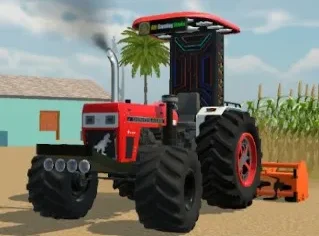
Buses and trucks handle the heavier end of the roster, useful if you want a slower, weightier driving feel compared to the cars. Agricultural vehicles get real attention too, which is rare for this genre. Tractors, including John Deere style models and the heavier SWARAAJ line, sit alongside harvesters for genuine farming-focused gameplay, and the default Swaraaj tractor is what you start with in Open World mode. Cranes and JCB-style construction vehicles round out the working-vehicle side of the roster.
Trains, Aircraft & Animals
Then there is the part that genuinely surprises new players. Trains run on dedicated railway tracks with proper stations, and you can also take control of a helicopter or an airplane out of the airport. Animal riding rounds out the roster in an unusual direction, letting you saddle up and ride horses across the open world. Very few games in this category let you go from driving a tractor through mud to piloting a plane in the same session.
Vehicle Customization

Every vehicle in the game supports a genuinely deep level of personalization, managed through a dedicated Customize menu with its own set of categories: Modification, Character, Wheels, Steering, Config, and Colors, alongside separate NPC’s, Farming, and Weather/Animal settings panels. Vehicle modification covers the basics, letting you change paint colors and swap tires to get a look that feels less like a stock default. Number plate customization and vehicle name modification go a step further, letting you put your own stamp on whatever you are driving.
Wheels and Steering each get their own dedicated customization category rather than being buried in a general settings menu, so you can fine-tune both independently. Flag customization and brake option settings round out the vehicle-side controls. Some tractors can also be fitted with accessory attachments, including a mounted speaker and sound system, visible directly on the default Swaraaj tractor’s frame in our own screenshots, and even a rifle mount on certain builds, which explains the “weapons” searches this game gets. We have not found a confirmed way to select or toggle the speaker system independently of the vehicle it’s already attached to, it currently appears as a fixed part of specific tractor builds rather than an item you add yourself through a menu.
Character customization runs alongside all of this, letting you adjust your driver’s appearance before you even get behind the wheel, including outfit pieces like plaid shirts, jeans, sneakers, sunglasses, and even a turban option, so the personalization is not limited to the vehicles alone. A Save and Load option lives in this same Customize menu, letting you manually save your current setup and vehicle state and reload it later.
Maps and Locations
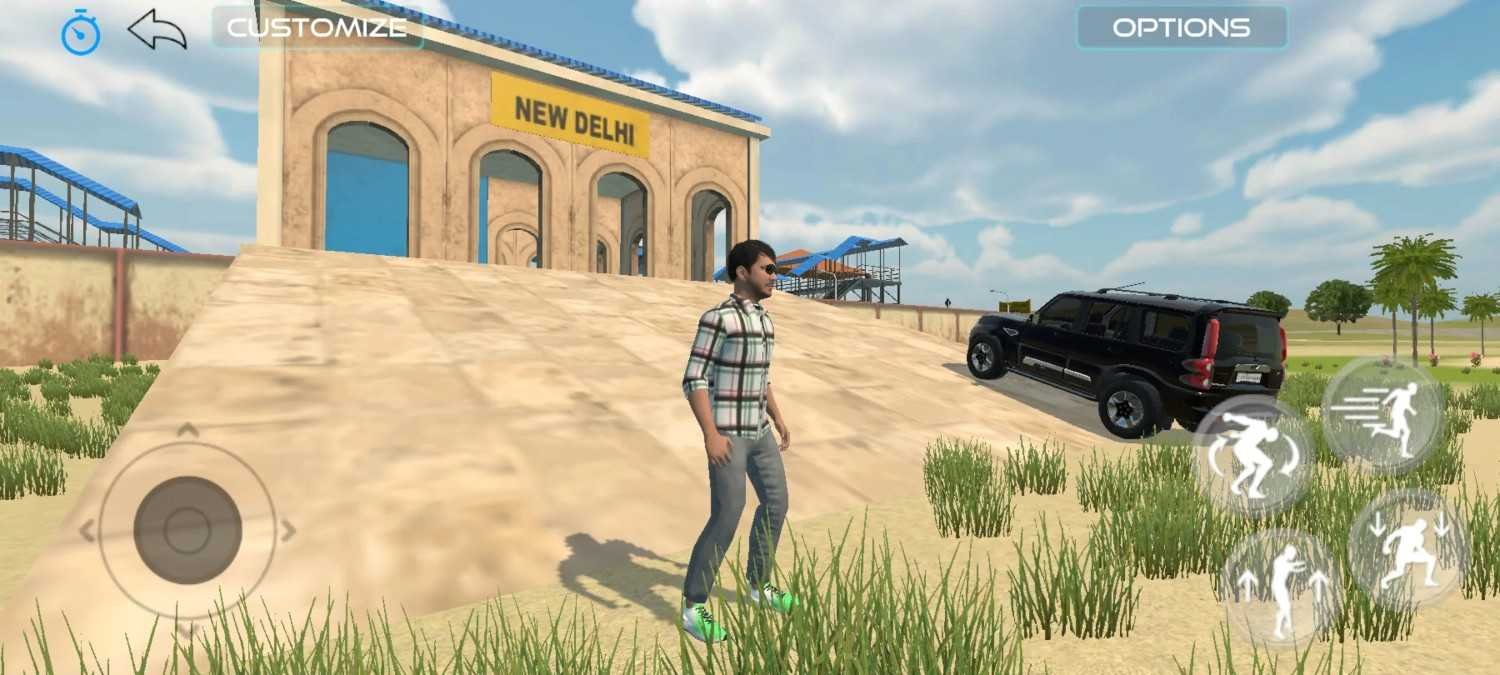
The game gives you two overarching maps to choose between when you start, simply labeled Old Map and New Map on the selection screen. Rather than a single generic open world, each of these contains several distinct regions you can drive between.
Within these maps you will find open farming fields for agricultural gameplay, paved city roads running past a location signed as New Delhi, off-road desert terrain with sand dunes and cacti, dense jungle terrain, and villages built around Indian-style houses. A coastal stretch with beaches, cliffs, and palm trees and a wooden dock area add more variety underfoot beyond the originally documented regions. Mountain terrain rounds out the natural environments, and the airport ties the aviation content together and gives helicopters and planes a genuine home base. If you started on the Old Map and want to see what changed, switching to the New Map from the selection screen is worth doing, since the newer regions carry noticeably more detail.
What exactly separates Old Map from New Map, region by region, has not been independently confirmed in full. What we can say with confidence is that the airport, since it was added in the 0.52 update, postdates the original Old Map and is understood to belong to the newer selection, so if flying the helicopter or airplane is what you’re after, New Map is the one to pick. Beyond that, treat Old Map as the earlier, simpler build and New Map as the actively expanded one, rather than assuming every region exists identically on both.
Gameplay Features
Open World & Farming Mod
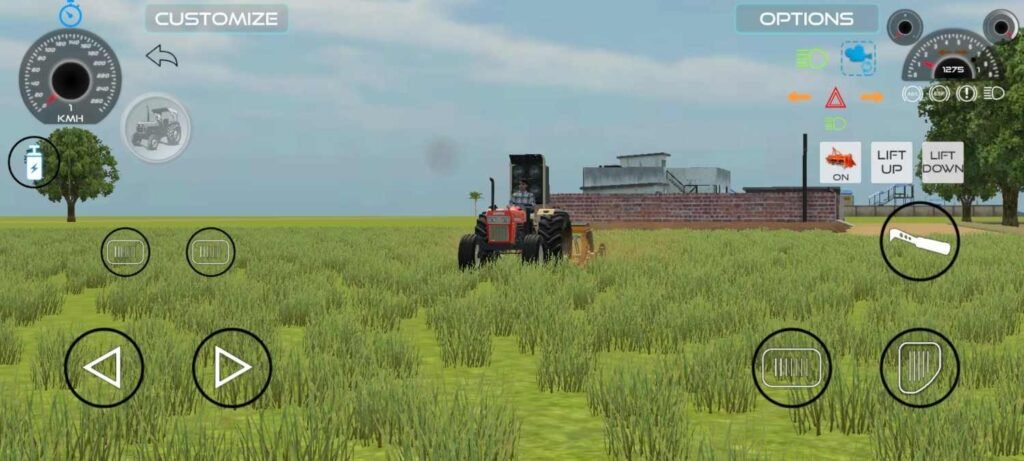
The game’s three built-in modes each play very differently. Open World is exactly what it sounds like, free-roam driving with no set objective, just you and the map. Farming Mod adds real objective-based gameplay, complete with functional attachments like seed drills and tools that lift and lower on command, along with LIFT UP and LIFT DOWN controls mapped directly to the HUD.
Tochan Mod
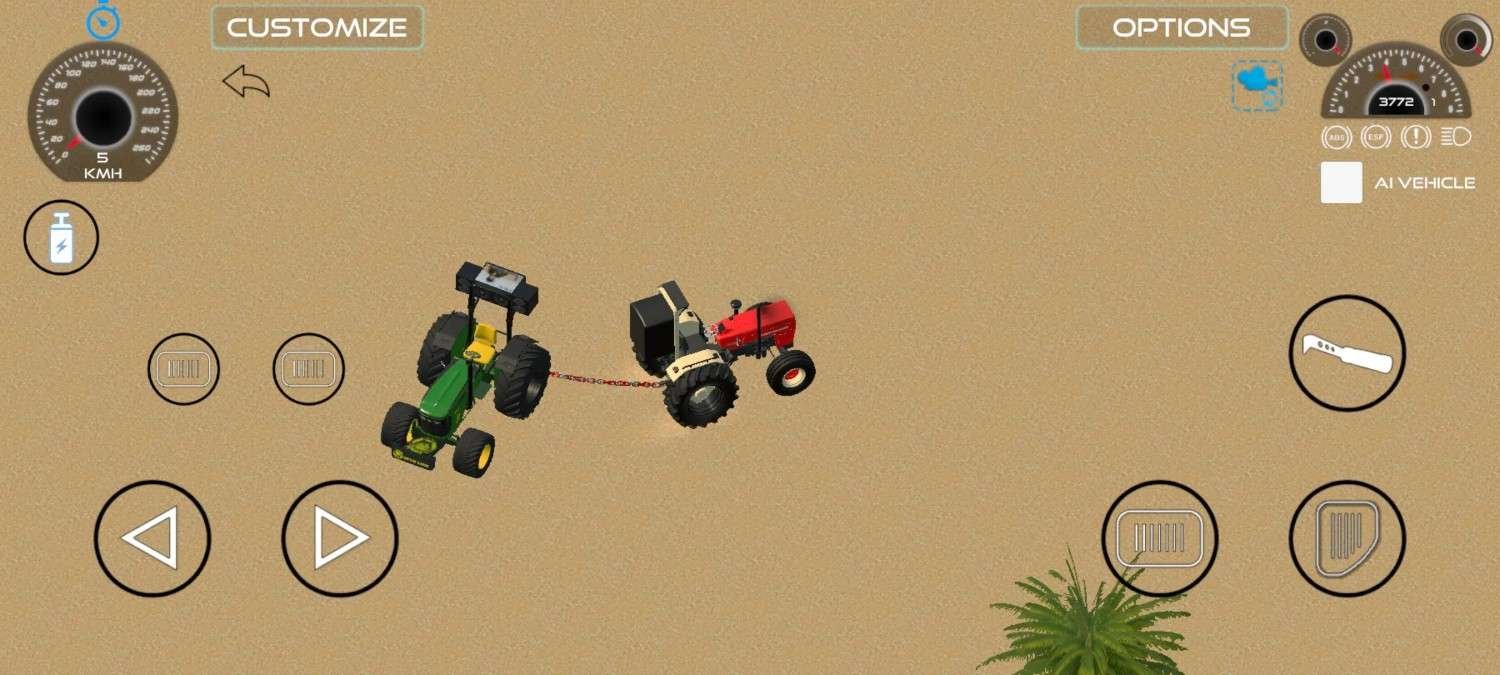
Tochan Mod is closer to a tractor pulling competition than a simple tug-of-war. You chain your tractor to an AI-controlled opponent vehicle, and the game tracks pulling power through an RPM-style readout as both vehicles strain against each other on the road. Before a match, an in-game panel lets you pick your Spawn Vehicle and your opponent’s Enemy Spawn vehicle from a dropdown list, adjust Driving Assistants like ABS, ESP, TCS, and SH, and choose a Behavior Type from a dropdown currently offering a Simulator setting.
Traffic, NPCs & Extra Features
Beyond the three main modes, the traffic system populates the roads with NPC vehicles, and roaming NPCs on foot make the world feel occupied instead of empty, with a dedicated NPC’s panel in the Customize menu for adjusting them. Animal riding lets you saddle up and ride horses across the map. Train driving comes with its own dedicated train station system. A drone camera feature, toggled on or off from the same menu, gives you an aerial view option beyond the standard driving camera, useful for recording a Tochan pull or just getting a wider look at the map.
Mud & Weather Systems
The mud system shows up visually the moment you drive through wet or muddy terrain, so your vehicle physically carries signs of where you have been. The weather system covers day and night cycles along with rain, snow, fog, sandstorms, and stormy conditions, and none of this is purely decorative, since visibility and vehicle handling shift depending on current conditions.
Gameplay Experience
Player reviews consistently highlight the graphics, vehicle physics, and map variety as the game’s strongest points, and that sentiment holds up when you actually spend time driving through the desert or coastal areas. Controls are straightforward, with steering handled through on-screen buttons by default, though you can switch to accelerometer, steering wheel, or joystick controls under the options menu depending on what feels most natural to you. Camera angles are adjustable too, useful if you prefer a wider view while flying or a tighter view while navigating tricky terrain.
The options menu goes deeper than most games in this genre. Driving Assistants let you toggle ABS, ESP, TCS, and SH independently, a Behavior Type selector adjusts how the simulation itself handles, and you can pick between UI Buttons or other control schemes along with custom HUD Colors to match your preference. Traffic and AI behavior add life to the roads without turning the experience chaotic, and sound effects across the different vehicle types add to how grounded each one feels, from the low rumble of a tractor to the distinct engine note of a bike. Performance on lower-end phones is the most common complaint in reviews, and that tracks with how graphically dense some of the newer coastal and city areas have become. If you are running an older or budget device, expect to dial back graphics settings for a smoother experience rather than running everything on high by default.
How to Download Indian Vehicles Simulator 3D
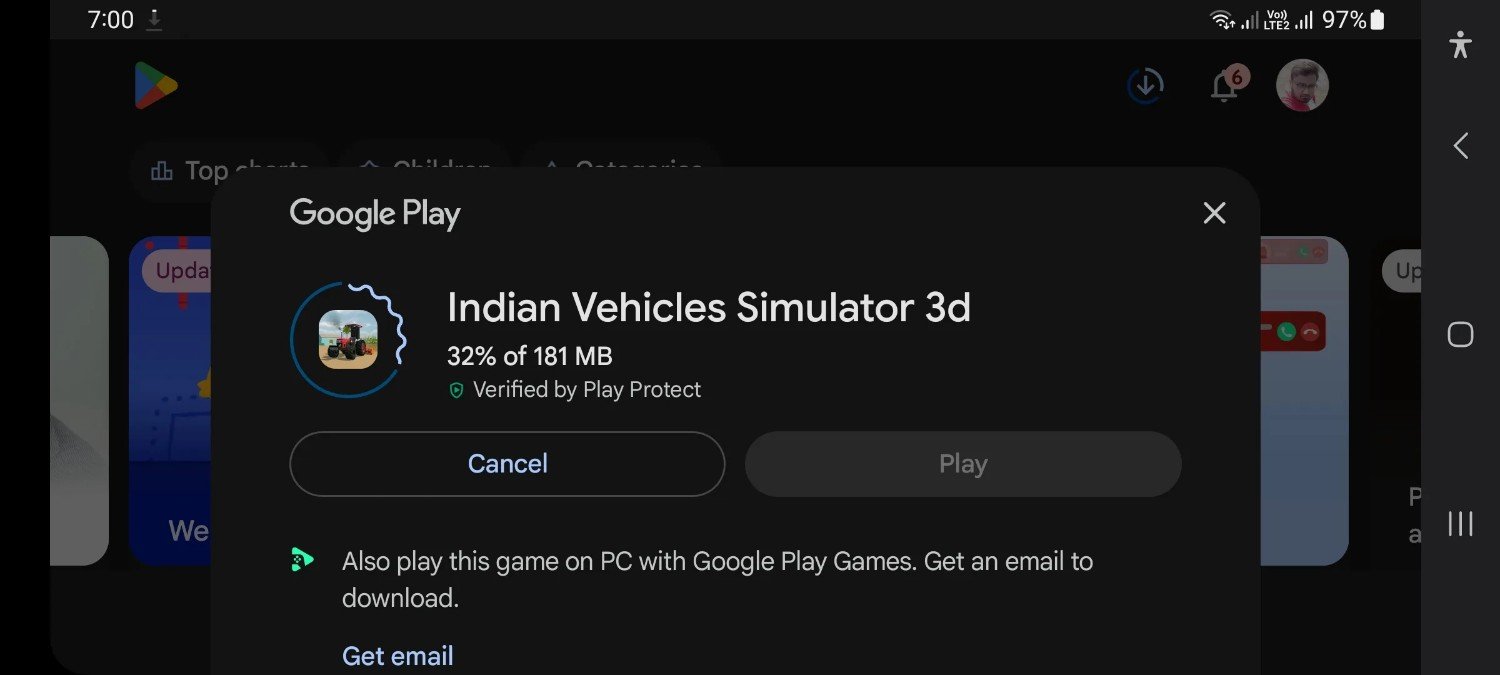
Before downloading anything, confirm your device meets the Android 5.1 or higher requirement and that you have enough free storage, ideally at least 1 GB clear to account for the roughly 223 MB install plus post-install data like cached maps and weather assets. Downloading through the official Play Store link above handles compatibility checking automatically, which is one more reason it is the simpler route.
If you choose to download an APK or XAPK file directly rather than through the Play Store, download the correct build for your device and verify the file before installation. Check that the file size roughly matches the official figure, currently about 223 MB, and avoid download buttons on pages that do not clearly state a version number, file size, and developer name, since vague download buttons are a common pattern on lower-quality aggregator sites. The current build does not require a separate OBB file for installation, though this can change with future updates, so always check the specific page you are downloading from for the latest requirement.
How to Install Indian Vehicles Simulator 3D
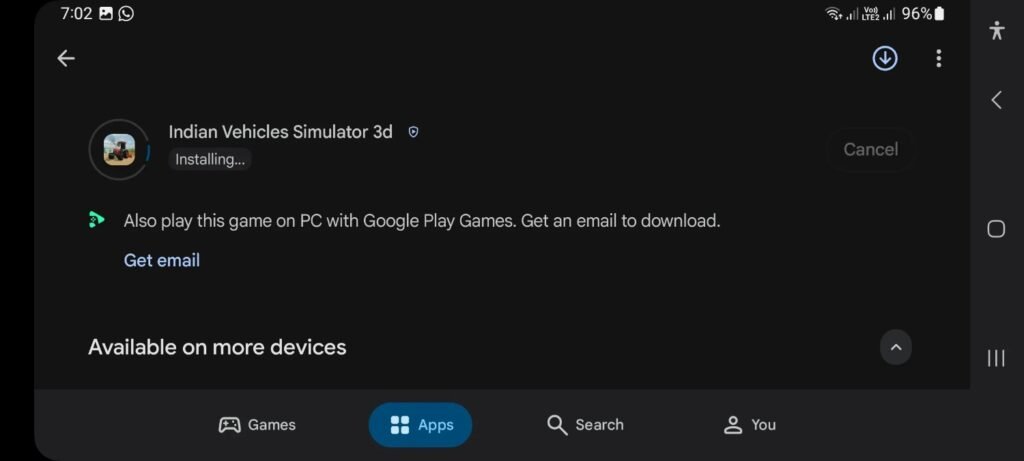
Installing through the official Play Store is as simple as tapping Install, but if you are working from a downloaded APK or XAPK file instead, here is the process.
- Open your device Settings and enable installation from the appropriate source, whether that is your browser or file manager.
- Locate the downloaded APK or XAPK file in your File Manager or Downloads folder and install it correctly by following the on-screen prompts.
- If you downloaded an XAPK, use an app capable of handling split-package installation, since a standard file manager alone will not always process it correctly.
- Launch the game once installed and check the permissions it requests, such as storage access, before granting them.
- If installation fails, work through the common causes below rather than assuming your device is at fault.
The most frequent installation errors come down to insufficient storage space, a corrupted or incomplete download, or an Android version mismatch. Clear some space, redownload the file from a source you trust, and confirm your Android version meets the 5.1 or higher requirement before trying again.
Still stuck? We cover specific fixes in more depth: black screen on launch, lag and stuttering, the game not working at all, and our full controls guide if the on-screen buttons feel off.
Indian Vehicles Simulator 3D Old Versions
Sometimes the newest update is not what you want, whether that is because of a compatibility issue on an older device or simply a preference for how an earlier build played. Version 0.52 was the previous release, sized around 190.5 MB and released May 26, 2026. Before that came version 0.51 at roughly 188.1 MB, released April 2, 2026, and version 0.50 at around 177.4 MB, released March 26, 2026. Versions 0.49 and earlier round out the archive as the game’s earlier releases, each representing a distinct step in its development.
If that is where you are right now, we keep a full, dedicated archive rather than cramming the entire version history into this page. Head over to our Old Version download page for the complete list, including file details and compatibility notes for each release back through the earliest available builds.
indian vehicles simulator 3d Review
Is it worth playing? Based on the vehicle variety, graphics, physics, and map design, yes, particularly if you enjoy sandbox-style games without a heavy mission structure pushing you around. The customization depth adds real replay value beyond just driving in circles, and the Farming Mod and Tochan Mod give you something structured to do when Open World alone gets old, without forcing you into either if that is not what you are after.
The weaknesses match what real players report most often. Performance dips on older phones, some players want more AI traffic variety, and a handful of reviews mention wanting more reliable automatic or cloud-based saving. It is worth noting the game does already include a manual Save and Load option inside the Customize menu, so progress is not entirely unprotected, but it relies on you remembering to save rather than doing it for you. Updates have been frequent enough to keep the game feeling current, which counts for a lot in this genre, and the jump to 0.54 close on the heels of 0.53 backs that up.
Who should play it? If you want a relaxed, open-world driving experience with an unusually wide vehicle roster and do not need a heavy story or mission structure, this fits well. If you are deciding between this and a similar title, our Indian Vehicles Simulator 3D vs Indian Bikes Driving 3D comparison breaks down exactly how they differ.
Frequently Asked Questions
Answers below last reviewed and fact-checked September 13, 2026 against the official Play Store listing.
What is Indian Vehicles Simulator 3D?
It is a free open-world driving simulator by AN Gaming Studio that lets you drive a wide range of Indian vehicles, including cars, bikes, tractors, trucks, trains, and aircraft, across two selectable maps with several distinct regions each.
Is Indian Vehicles Simulator 3D free?
Yes, the game is free to download and play from the official Google Play Store and App Store, though it may include ads and optional in-app purchases depending on your region and build.
What is the latest version of Indian Vehicles Simulator 3D?
The current version is 0.54, released on August 17, 2026, at approximately 223 MB. As of August 17, 2026, the official Play Store listing does not publish a version-specific changelog for this release.
What Android version is required?
Indian Vehicles Simulator 3D requires Android 5.1 or higher to install and run.
Does Indian Vehicles Simulator 3D work offline?
The core driving and exploration gameplay works offline once installed, though some features, ads, and updates require an internet connection, so treat it as primarily offline-capable rather than fully offline-only.
Does the game have multiplayer?
The game is built around single-player free-roam and mode-based gameplay with AI-controlled traffic and AI opponents, including in Tochan Mod. We have not found confirmed evidence of a live multiplayer mode against other real players in the current version. You may see this claimed on a handful of low-quality gaming guide sites, but we could not independently verify it anywhere else, treat any “multiplayer mode” claim for this specific game with real skepticism until AN Gaming Studio confirms it directly.
Can I play Indian Vehicles Simulator 3D on PC?
Yes, either through Google Play Games on PC or through an Android emulator, and our PC download and setup guide covers both methods in detail.
Does the game have an airport?
Yes, the airport map gives you a dedicated place to take off and land the helicopter and airplane.
What are Open World, Farming Mod, and Tochan Mod?
These are the three official gameplay modes built into the game itself, not modified files. Open World is free-roam driving, Farming Mod adds objective-based farming gameplay with functional attachments, and Tochan Mod is a tractor pulling competition against an AI vehicle.
Does Indian Vehicles Simulator 3D have a save system?
Yes, a manual Save and Load option is available inside the Customize menu, letting you save your current vehicle setup and progress and reload it later. See our save data backup guide for how to keep that progress safe across device changes.
Is the MOD APK safe?
No — we cannot confirm the safety of any modified APK. These files come from third parties outside AN Gaming Studio and are not something we host or verify on this site, which is why we recommend the official Play Store version instead.
How much storage space do I need to install it?
Plan for at least 1 GB of free storage on your device. The download itself is about 223 MB, with the rest reserved for cached maps and weather assets after install.
Do I need a separate OBB file to install it?
No, the current build does not require a separate OBB file to install. This can change with future updates, so always check the specific download page for the latest requirement before installing. Not sure whether to grab the APK or XAPK build? Our APK vs XAPK guide explains the difference.
Is Indian Vehicles Simulator 3D available on iOS?
Yes, the game is available on iOS through the App Store in addition to Android. Our iOS guide covers App Store availability and device compatibility in detail.
Can I download older versions of the game?
Yes, a dedicated Old Version archive covers past releases including 0.52, 0.51, and 0.50, with file size, release date, and compatibility notes for each.
Internal Links
Playing on a bigger screen? Check our PC download and setup guide. Have an iPhone or iPad instead of Android? Our iOS guide covers App Store availability and compatibility. Want an older build instead of the current version? Visit the Old Version download page. Curious about codes and unlock-style content? Our Cheat Codes guide covers it the safe way. And if your install is not working right, our App Not Installed troubleshooting guide walks through the most common fixes. Switching to a new phone? Our data transfer guide walks through moving your save. And if you want to explore similar titles, check our 10 best games like Indian Vehicles Simulator 3D roundup.