Indian Vehicles Simulator 3D Lag Fix: Best Settings for Gameplay
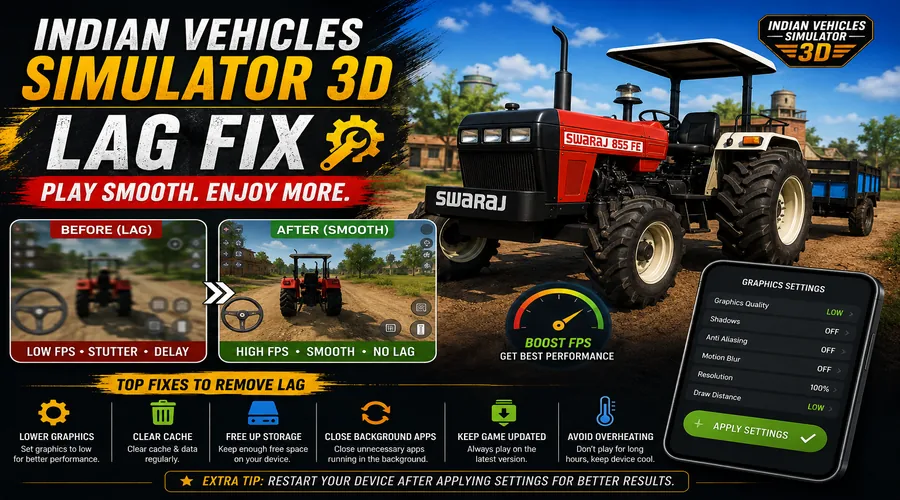
Time Required: 5 to 10 Minutes | Platform: Android | Last Verified: August 2026
Written by David Kalin, Gaming & SEO Expert with 5+ years covering mobile games. This is an independent fan resource and is not affiliated with, endorsed by, or operated by AN Gaming Studio.
The game runs fine for a while, then the frame rate drops the moment you hit a busy street or the weather changes. That’s not random, and it’s not a sign your device is broken, it’s a direct result of how much the game is actually rendering in that moment.
Indian Vehicles Simulator 3D lag is most often caused by weather effects, NPC traffic density, and open-world terrain rendering combined, and it hits low-end and older devices harder than newer phones with more graphics headroom.
Why Lag Happens in Indian Vehicles Simulator 3D
This is a genuinely graphically busy open-world game, not a simple driving app. Independent coverage of the game specifically points to weather effects, NPC traffic, roaming animals, and open-world terrain as the combination that pushes older devices toward a lower frame rate, while newer phones with more graphics capacity handle the same scene without dropping frames.
That matters because it means lag isn’t usually a bug, it’s the game correctly rendering more than your device can comfortably handle in that specific moment. A busy city street with NPC traffic and weather active is going to tax your hardware more than an empty stretch of desert road, and that difference is expected, not a sign something’s wrong.
How to Fix Lag and Boost Performance
Fix 1: Free Up RAM Before You Play
Close every other app running in the background before launching the game, not just what shows in recent apps, actually force-close anything memory-heavy. This is the single most effective free fix available, since the game competes with everything else running on your device for the same limited RAM, and freeing that up directly reduces the load your device is juggling.
Fix 2: Avoid Graphically Dense Areas When Performance Matters
If you’re on a lower-end device, expect more noticeable lag in busy city streets, coastal regions with detailed terrain, or during active weather like rain or sandstorms, and less lag in simpler areas like open farmland or empty desert stretches. This isn’t a workaround so much as knowing where the game is going to ask more of your hardware, useful if you’re trying to record footage or play through a specific mission without stutter.
Fix 3: Check the Config Menu and Your Device’s Own Display Settings
The game’s Customize menu includes a Config category, though we have not independently confirmed exactly what display or performance options live inside it, check there yourself for anything resembling a graphics or performance toggle, since this can change between updates. Beyond that, your device’s own Android display settings, like reducing screen resolution or disabling any battery-saver mode that throttles performance, can help more than people expect for a graphics-heavy game like this one.
If none of these meaningfully help, your device may simply be at the lower end of what the current build supports well. In that case, an earlier, lighter version from our Old Version download page is a legitimate option, older builds are smaller and less graphically demanding than the current 400 MB-plus release.
How to Prevent Lag Going Forward
Make closing background apps a habit before every session, not just when lag shows up, since RAM pressure builds gradually and prevention is easier than troubleshooting mid-drive. Keep your device’s storage from running too full, since low storage can affect overall performance beyond just this game. If you consistently struggle in graphically dense areas, plan around that rather than fighting it, saving intensive sessions for when you’re not also dealing with heavy weather or a crowded map.
Lag Fix: Frequently Asked Questions
Q: Why does Indian Vehicles Simulator 3D lag so much?
Weather effects, NPC traffic, roaming animals, and open-world terrain combine to push graphics demand higher, and this hits older or lower-end devices harder than newer ones.
Q: Is my phone too weak to run this game?
Not necessarily, the game runs on a wide range of Android devices, but you should expect more noticeable lag in graphically busy areas on older or budget hardware specifically.
Q: Does the game have graphics quality settings I can lower?
We have not independently confirmed a dedicated graphics-quality slider inside the game, check the Config option in the Customize menu yourself, since in-game options can change between updates.
Q: Is there an FPS counter or FPS setting in the game?
We have not found confirmed evidence of a built-in FPS counter or FPS limit setting within the game itself, this is different from FPS-related features some PC emulators offer separately when running the game on a computer.
Q: What’s the single best fix for lag on a low-end phone?
Closing background apps before launching the game is the most consistently effective free fix, since it directly frees up the RAM the game needs to run smoothly.
Q: Should I download an older version if lag doesn’t improve?
Yes, this is a legitimate option, older versions are smaller and less graphically demanding than the current build, worth trying if your device is genuinely at the lower end of what’s supported.
Final Tips for Smooth, Lag-Free Gameplay
Start with closing background apps, since it costs nothing and helps the most. From there, pay attention to which areas of the map actually cause lag for your specific device rather than assuming the whole game runs poorly. If lag persists across the board even in simple areas, an older build from our Old Version download page is worth trying before assuming your device can’t run the game at all. If heavy lag eventually leads to the game freezing or crashing outright, that crosses into our Black Screen & Crash Fix guide instead, and if the game stops responding entirely, see our Not Working guide.